
BATCH PROCESSING
Scale data processing across every workload
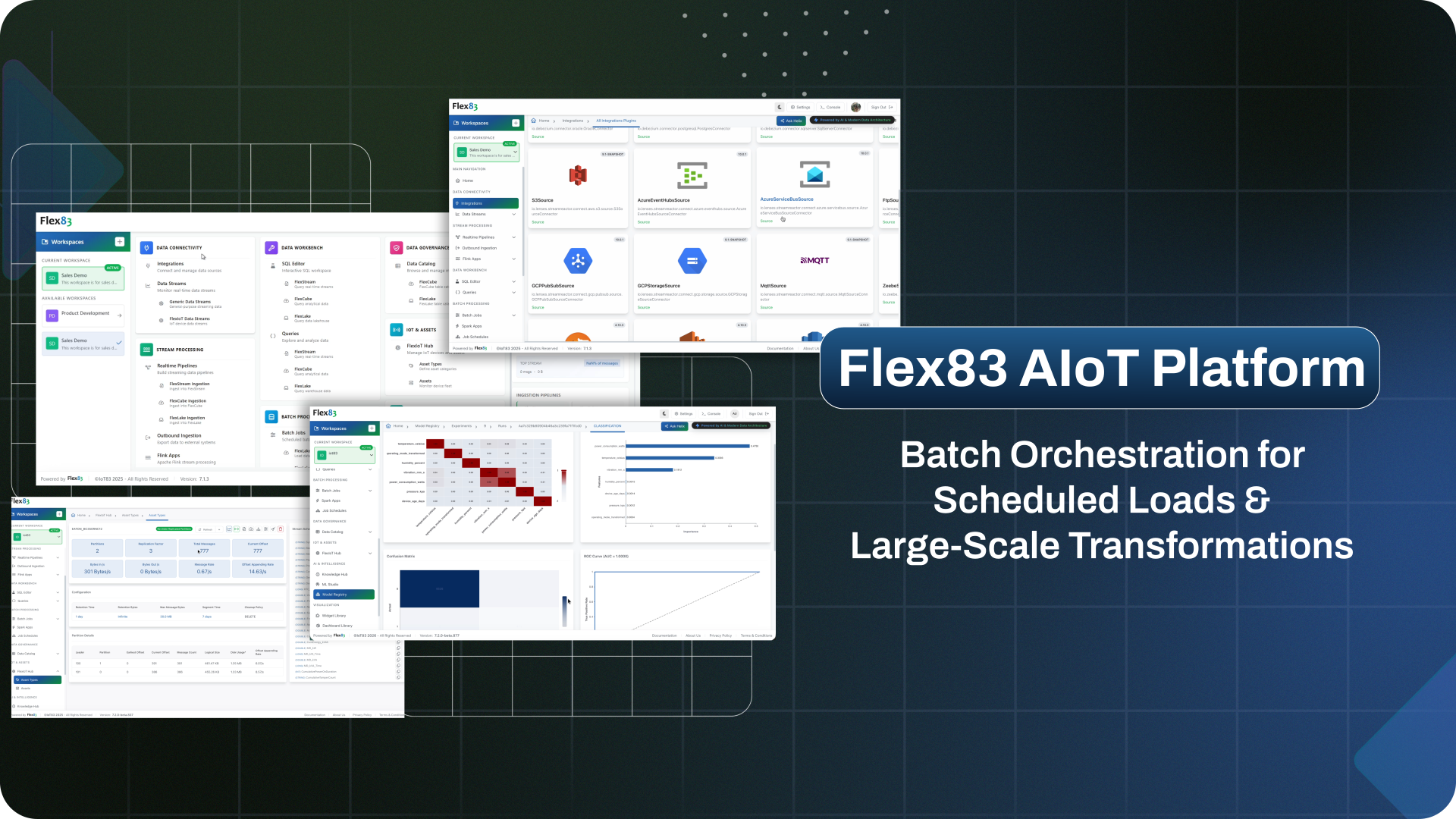
Run historical analysis, transformations, aggregations, ETL, reporting, and model training as scheduled or on-demand jobs. Flex83 coordinates processing across data layers while giving teams a single view of job execution.
















Large-scale data work is hard to run reliably
Historical workloads can span millions of records, multiple data layers, and jobs that need to run on a recurring schedule. Without a reliable way to handle that work, processing becomes expensive, data workflows become harder to maintain, and routine jobs demand unnecessary manual effort.
Historical processing becomes costly at scale
Repeatedly analyzing, aggregating, or transforming large historical datasets can consume significant compute and time, especially when workloads are run inefficiently or more often than necessary.
Data workflows span multiple layers
Historical data often needs to be prepared in one environment and consumed in another. Moving and transforming that data across storage and analytical layers adds complexity to downstream reporting, analysis, and other workloads.
Recurring jobs create ongoing operational overhead
ETL, reporting, model training, and other scheduled workloads need consistent execution over time. Managing these jobs manually makes it harder to maintain reliable schedules, coordinate dependencies, and recover from failed runs.
Build your end-to-end batch processing pipeline
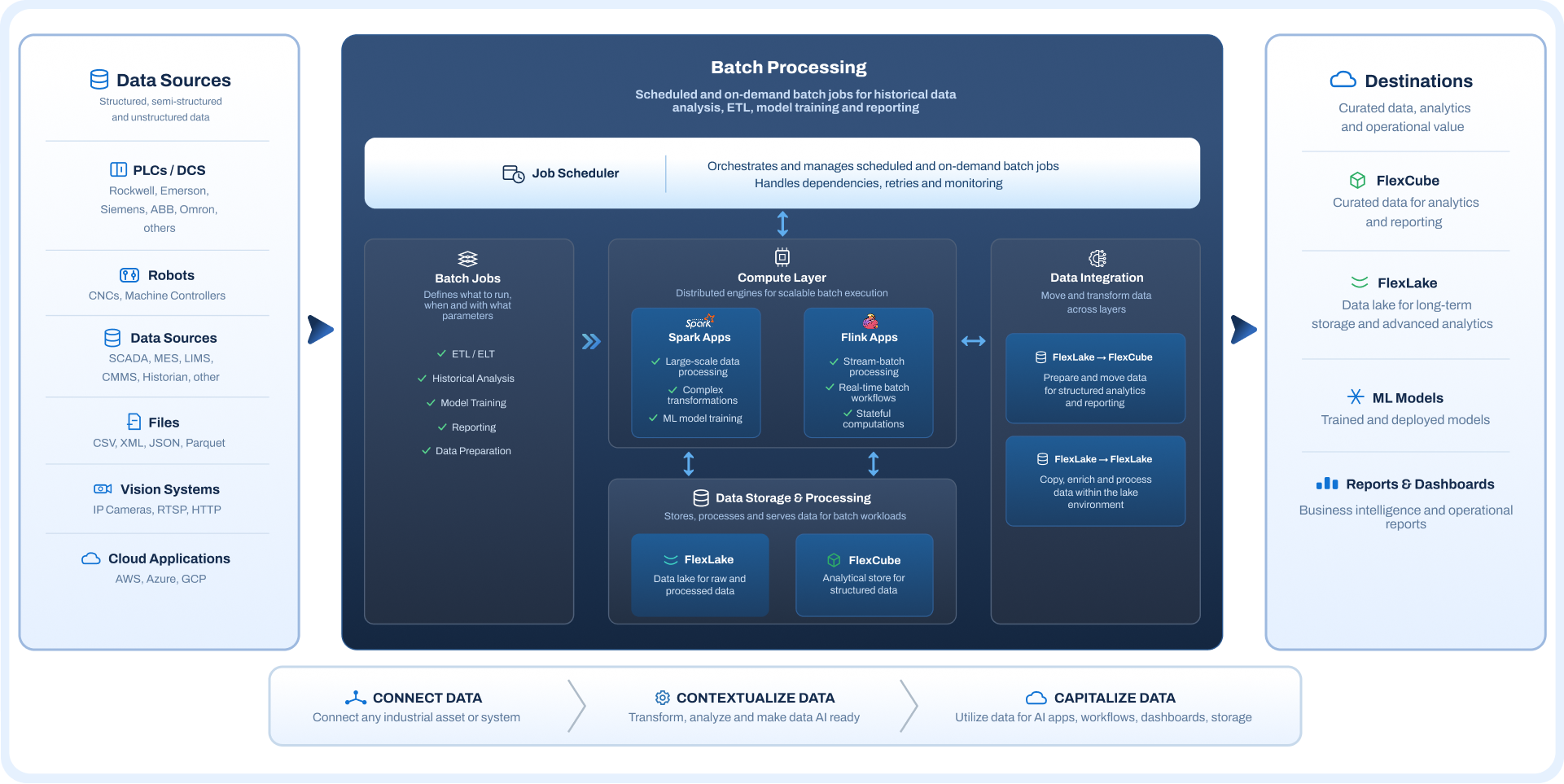
Bring scheduling, compute, data movement, and manual corrections together with Flex83, with validation and observability attached at every stage.
One toolkit, every batch job
Four ways to move and shape data are built into Flex83, and every one of them reports into the same schedule. Sync data automatically, transform it with real compute, fix one-off gaps by hand, or run custom logic, all without switching tools to keep track of any of it.
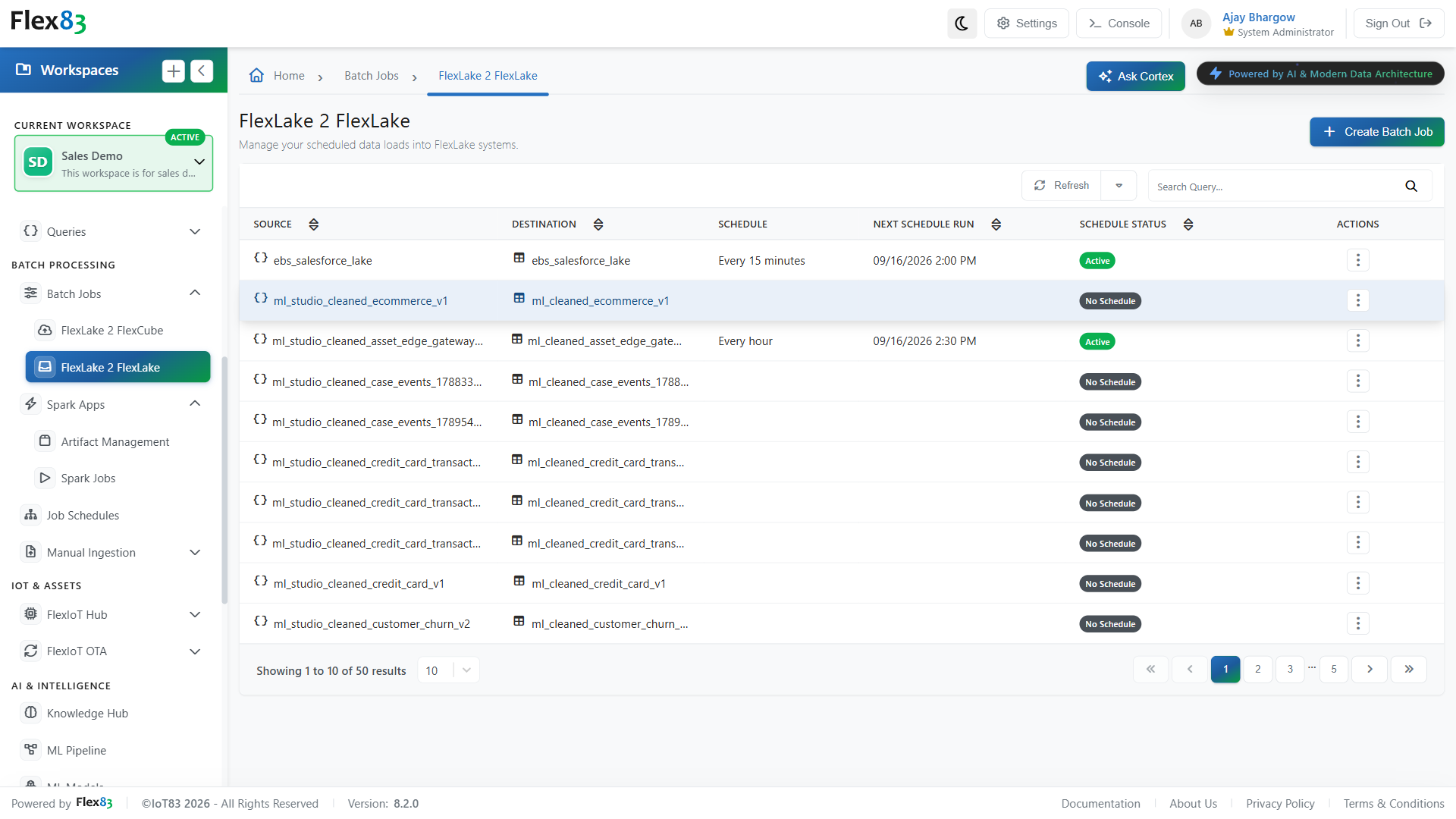
Sync data into analytics automatically
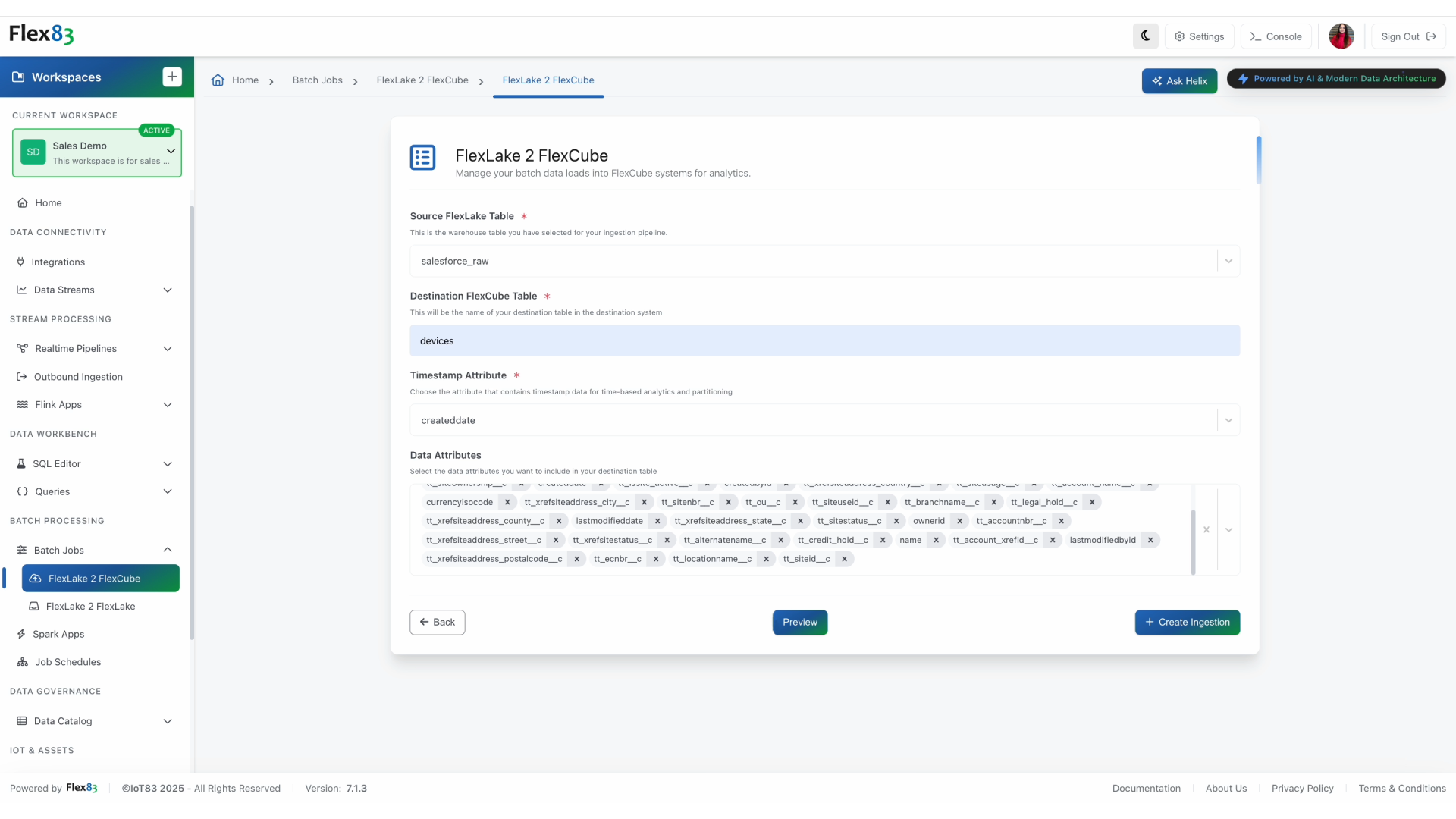
Move data from warehouse tables into analytical storage on a defined schedule, with incremental processing that avoids unnecessary full-table reloads. Each run picks up where the previous one ended, keeping downstream analytical data current as source data changes.
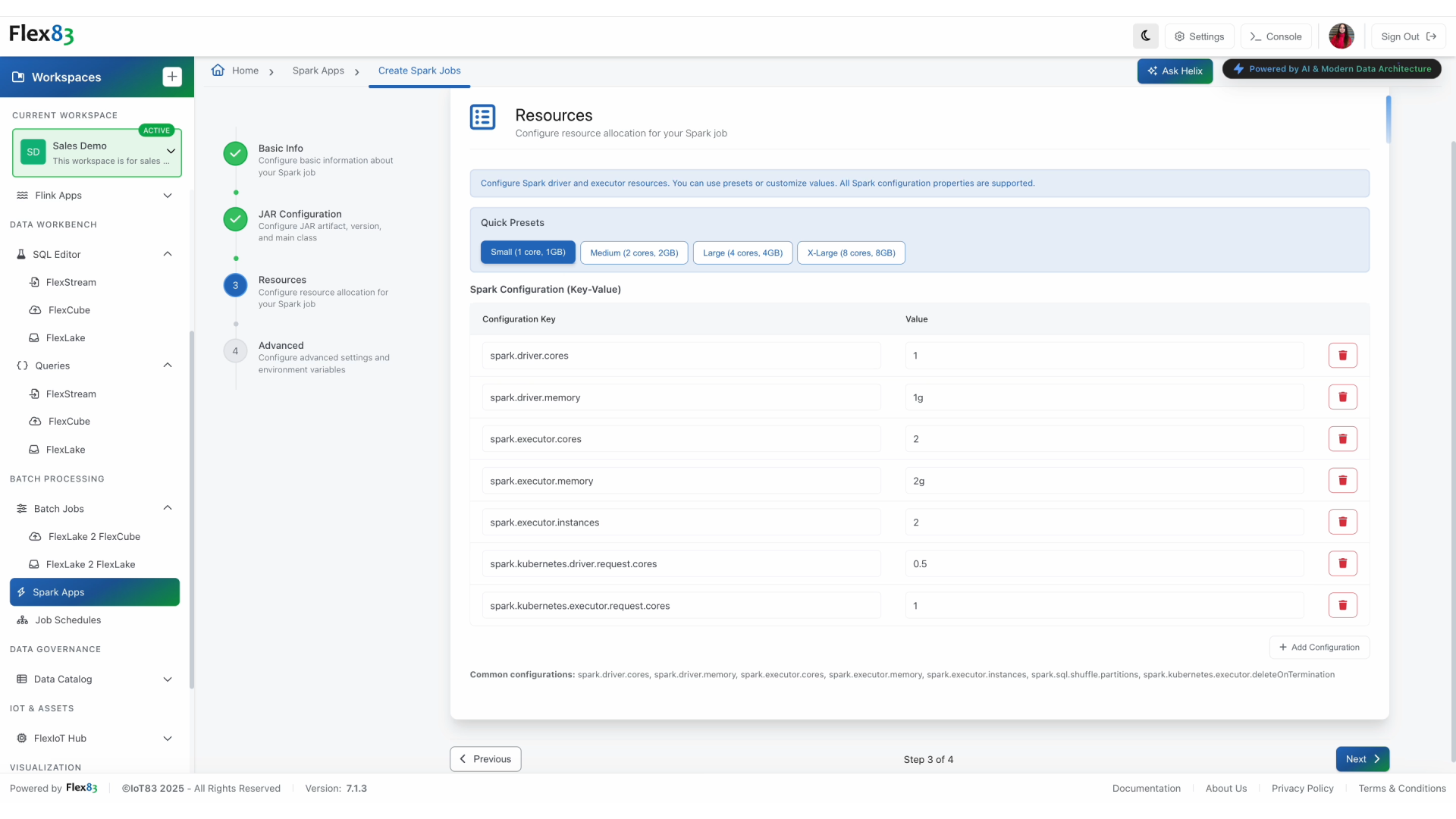
Run custom transformations at scale
Turn custom processing logic into a repeatable managed job for workloads that extend beyond standard SQL transformations. The same job definition can move from testing to production with resources sized to match the workload.
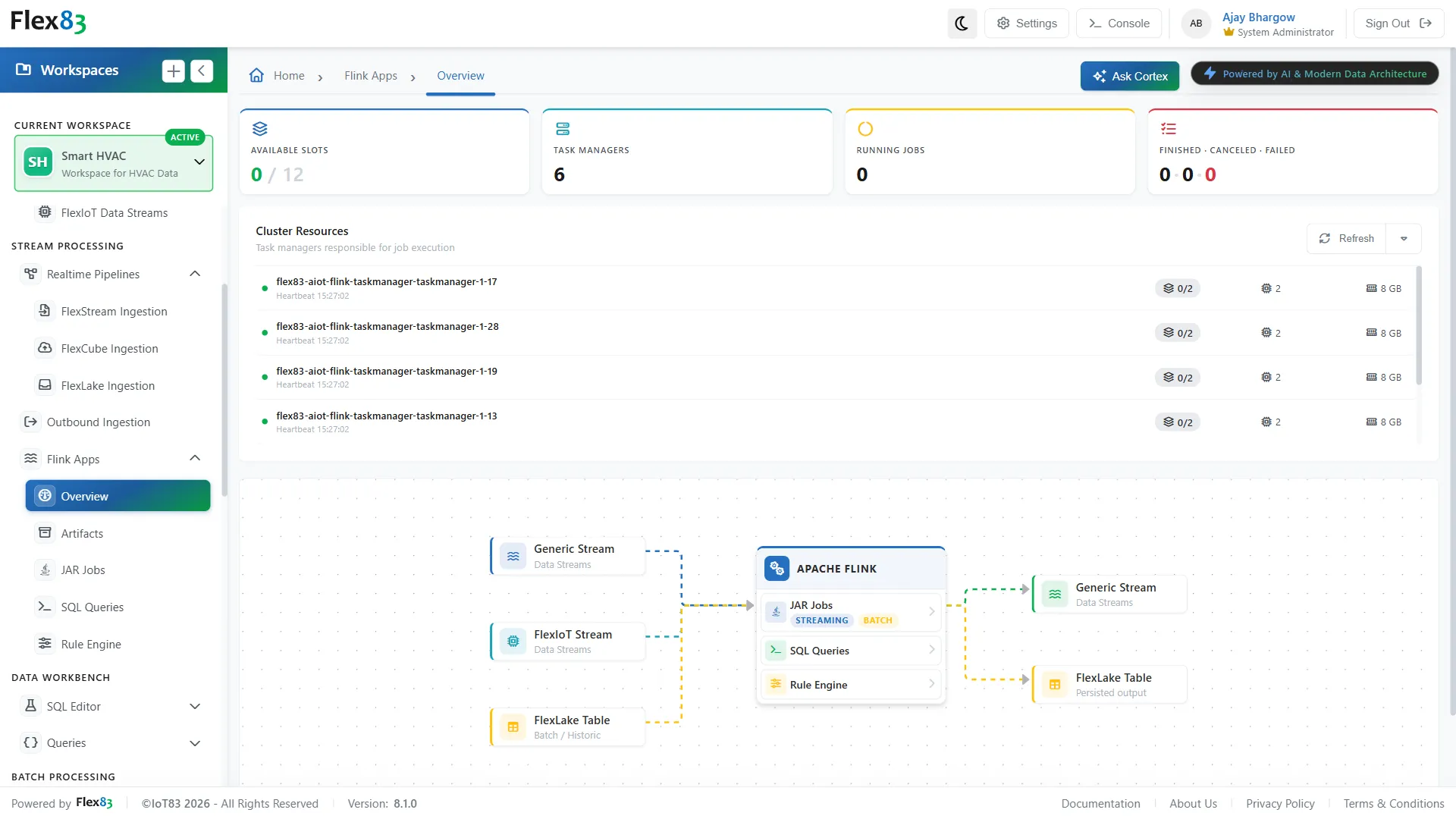
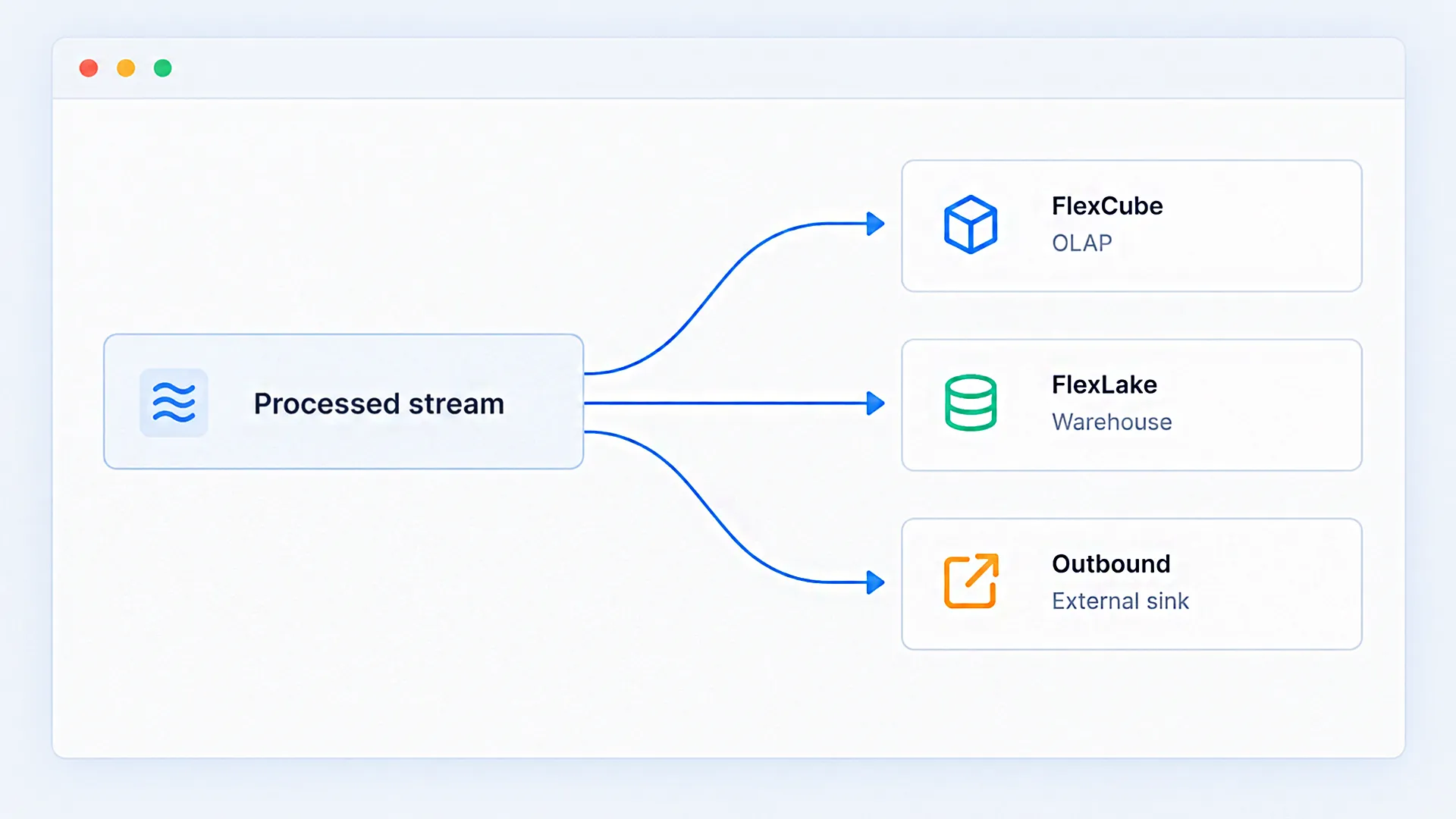
Transform and move data between tables
Create repeatable table-to-table workflows with validated SQL transformations. The same logic can be applied consistently across scheduled runs, helping maintain predictable outputs for reports, dashboards, and downstream workloads.

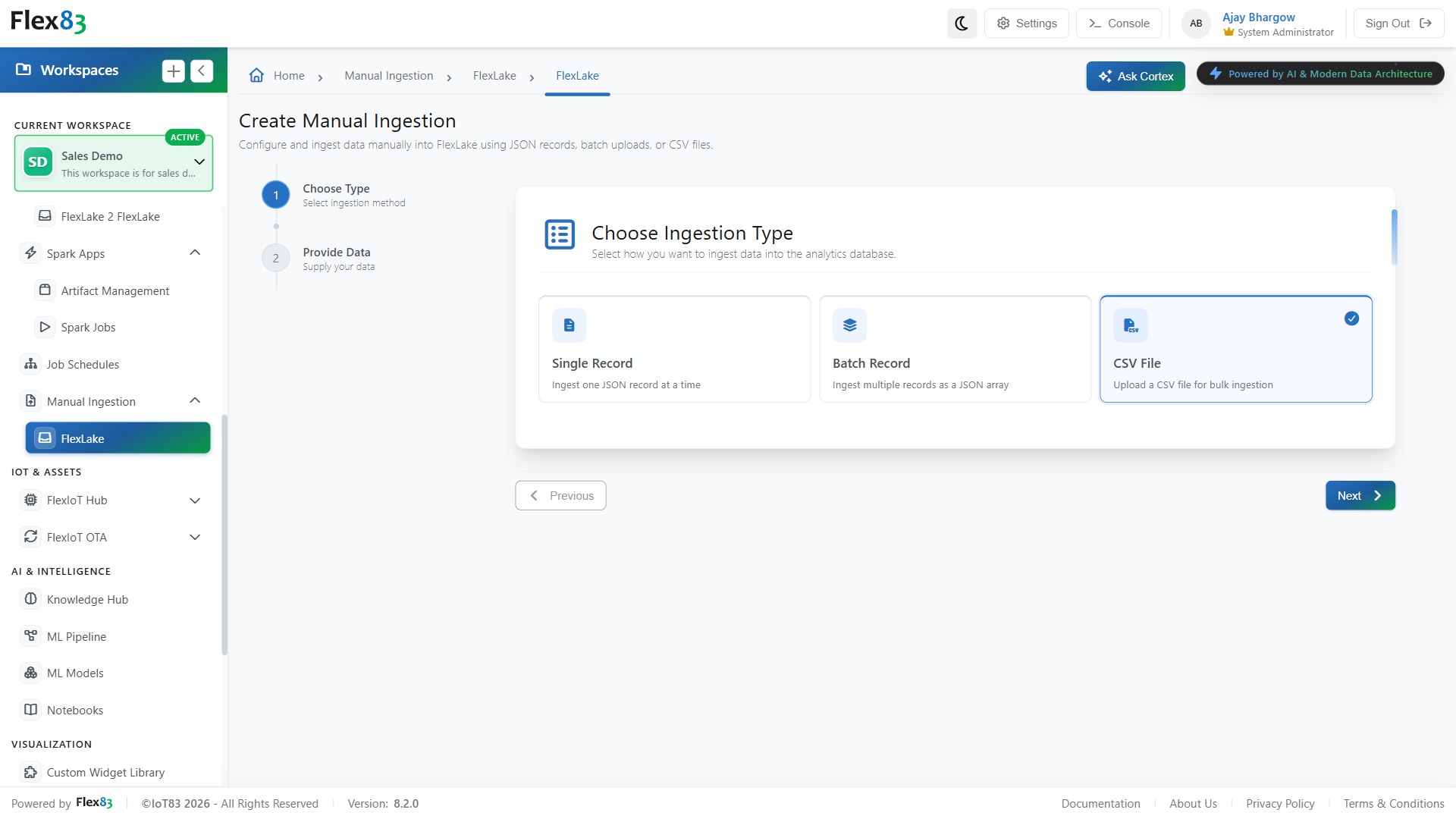
Handle data gaps without a pipeline
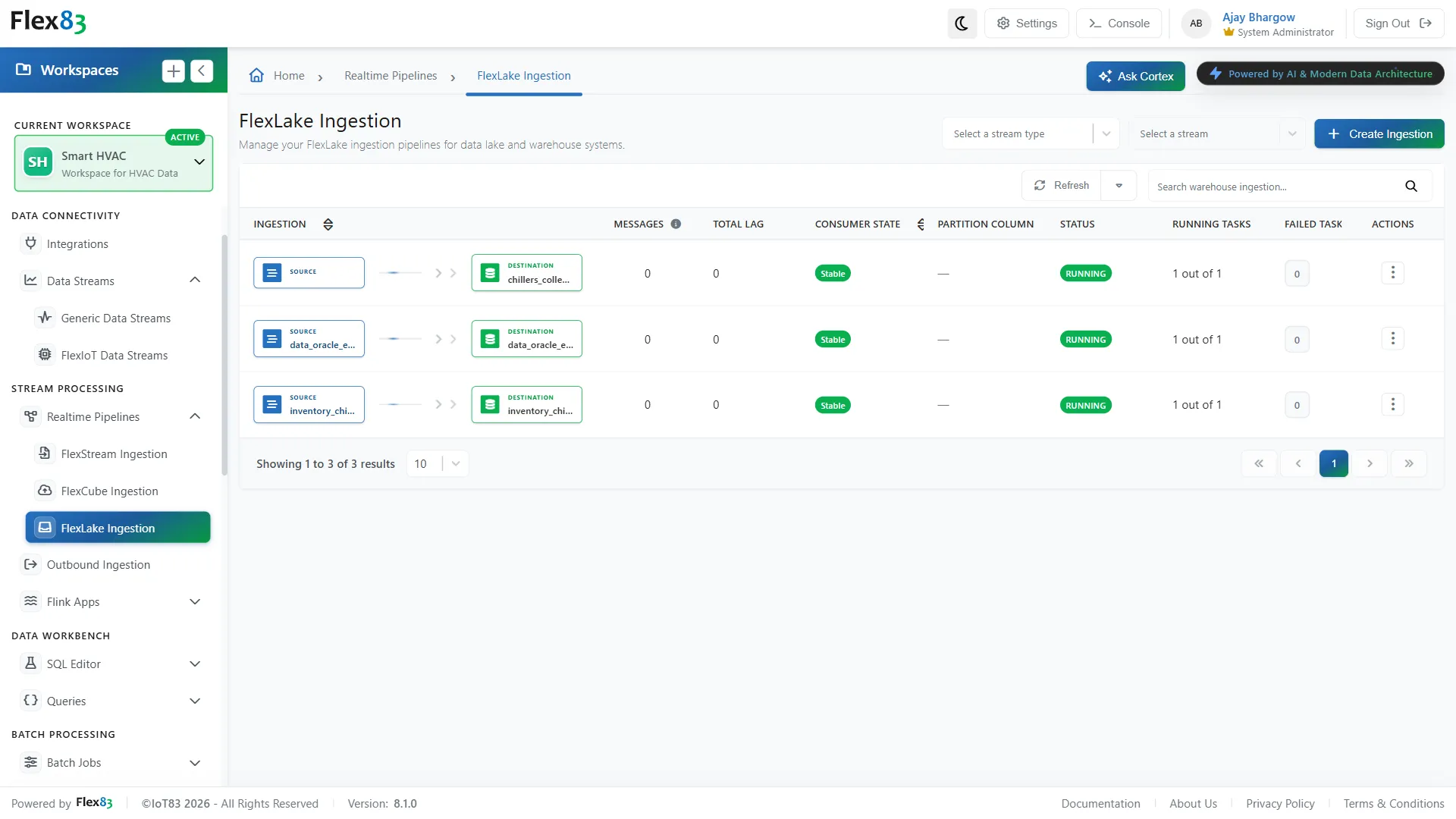
Add individual records, batches, or CSV files directly to warehouse tables for corrections, backfills, and one-time loads. This provides a controlled path for smaller data interventions without introducing a dedicated pipeline for every exception.
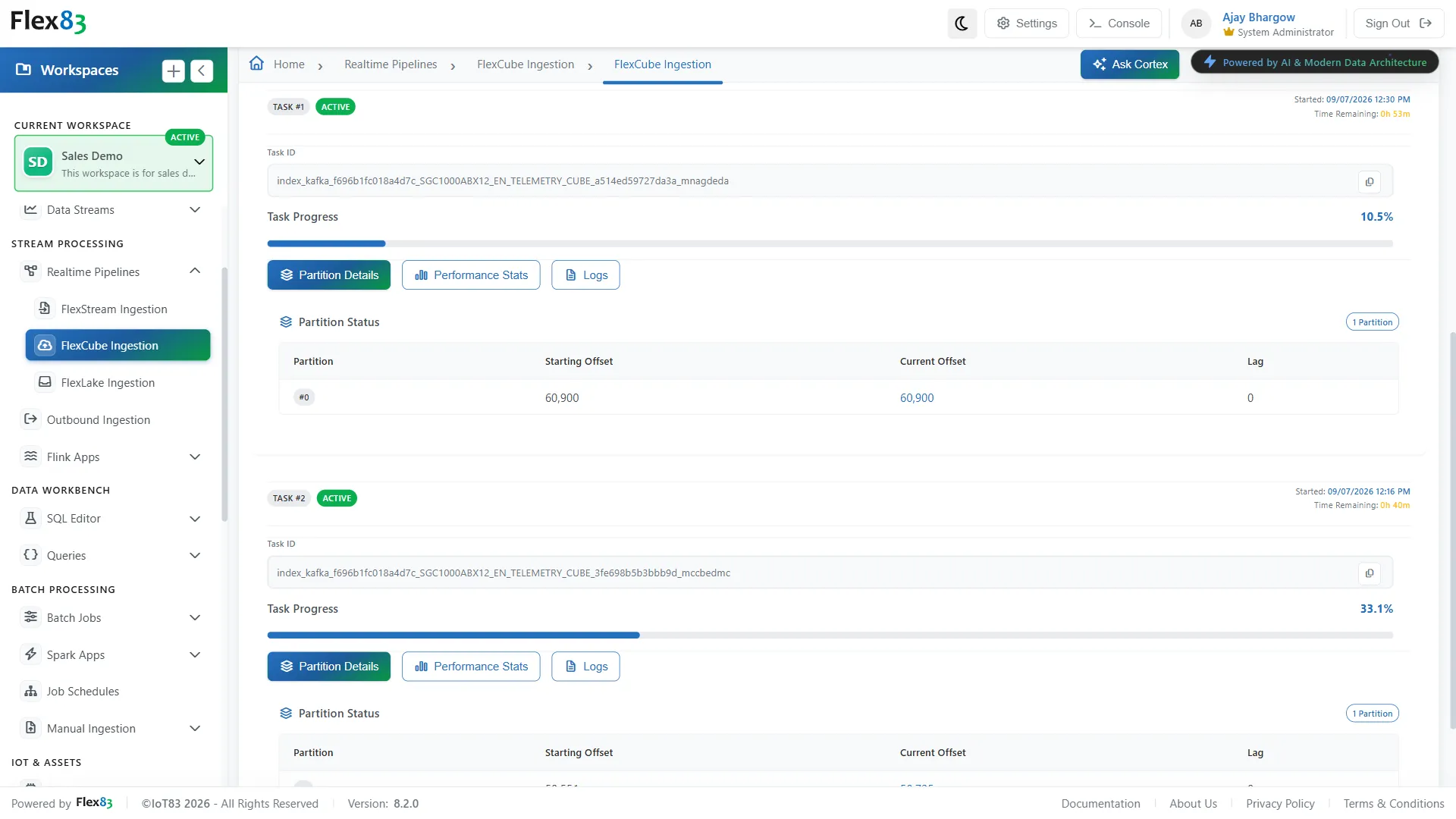
Monitor every job from one view
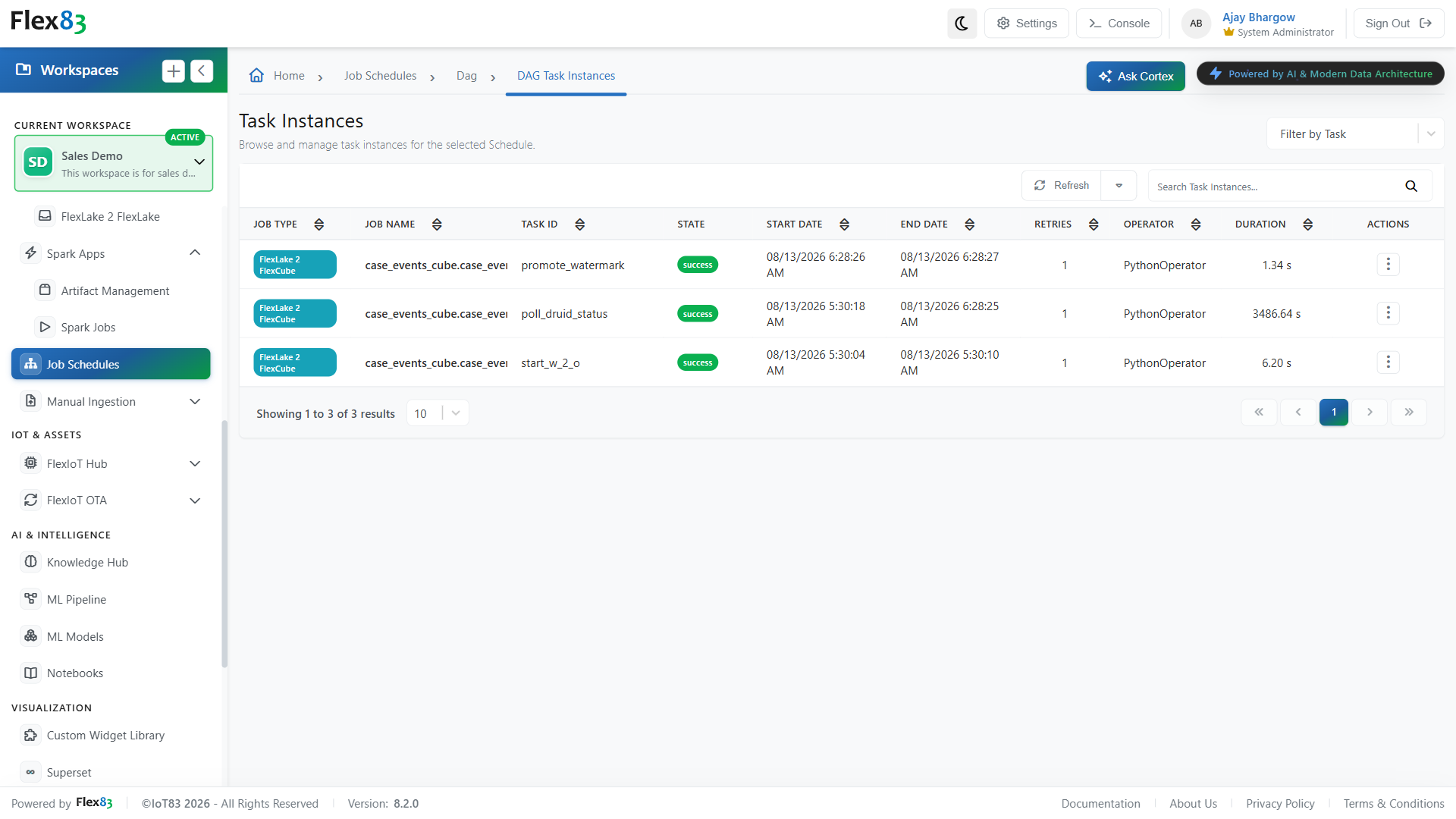
Manage scheduled and on-demand workloads through a centralized view of job status, execution history, dependencies, and task-level logs. When a run fails, teams can identify the affected step and investigate the execution without switching between monitoring tools.
Batch or stream processing? Choose based on the workload
Some workloads are best handled in defined runs against large volumes of data. Others depend on processing events as they arrive. Flex83 supports both processing models on the same platform, so teams can match the approach to the workload.
Processing happens in defined runs, making it suitable when results do not need to be available immediately.
Data is processed as events arrive, supporting workloads that depend on continuously updated information.
Jobs can run at defined intervals or be started manually when a specific workload needs to be processed.
Processing begins as new events arrive, without waiting for a scheduled batch window or accumulated dataset.
Compute is provisioned around the requirements of each job and can be released when processing is complete.
Compute remains available to process an ongoing stream of incoming events and maintain continuous processing.
ETL, transformations, aggregation, reporting, model training, historical analysis, backfills, and large-scale data processing.
Telemetry processing, real-time analytics, alerts, anomaly detection, predictive maintenance, and event-driven workflows.
Benefits of Batch Processing
From less operational overhead to more dependable, consistently available data, batch processing brings greater control and consistency to workloads that run at scale and on a recurring basis.
Lower operational overhead
Less time spent on repetitive data work, manual job execution, and routine monitoring, leaving teams with more capacity for higher-value analytical and engineering work.
Faster data availability
Shorter waits between scheduled processing and downstream consumption, keeping analytical datasets, reports, and dependent workloads closer to their required cadence.
Streamlined data operations
Fewer disconnected steps across transformations, data movement, and downstream processing, resulting in more consistent workflows across the data environment.
Higher processing reliability
More consistent execution of recurring workloads with fewer dependencies on manual intervention, reducing the risk of missed runs, incomplete processing, and stale outputs.
See how your industry is already using this
Four patterns running in production today. Select an industry to see it in action.
Industrial equipment and machinery manufacturers
Fleet dashboards are only useful if they reflect what's happening now. Batch Processing keeps sensor and meter data synced into analytics on a schedule, and checks new readings against maintenance records automatically, before anyone acts on them.
Energy, power, and utilities
Grid and generation assets produce more readings than any team can reconcile by hand. Scheduled jobs keep analytics synced automatically and consolidate usage data ahead of reporting deadlines, catching errors before they reach a report.
Water and wastewater treatment
Plant telemetry needs to stay current without anyone triggering it by hand. When a single reading goes missing right before a compliance deadline, it can be added in minutes, no pipeline required.
Logistics and material handling
High-volume scan and sort data is only useful once it's connected to shipment and customer records. Batch Processing runs that enrichment automatically and keeps every facility's jobs visible from a single screen.
Why Flex83 for batch processing
Flex83 brings scheduling, processing, validation, and execution visibility into one environment, giving teams more control over batch workloads from setup through completion.
Validated processing
Source-to-destination mappings are configured and validated before a job is created. SQL queries and code artifacts are validated before they are saved or executed, helping catch issues before scheduled processing begins.
Reusable workloads
Use the same Spark artifact across multiple jobs with independent tables, parameters, compute resources, and schedules. Processing logic can be reused across workloads without repackaging the application for each job.
Flexible compute
Four resource presets support different workload sizes, from development and testing through larger production workloads. Resource settings can also be adjusted when a workload requires more control.
Complete execution visibility
Monitor job status, run history, dependencies, and task-level logs from one place. Spark jobs also provide execution and performance details, while FlexLake-to-FlexCube and FlexLake-to-FlexLake workflows retain source-to-destination context for easier troubleshooting.
Proven across production deployments
See what changed for teams already running large-scale, scheduled data processing on Flex83.
8x more files processed daily, at one-third of the expected timeline
A Fortune 500 telecommunications company, with more than 100,000 employees, was processing 5,000 to 7,000 geospatial network signal files a day, well short of its 40,000-file target. Flex83 Middleware, built on a Spark-based distributed computing system, consolidated a multi-stage batch workflow into a single job and replaced Hive-based intermediate storage with Parquet files. Scaled to more than 40,000 files a day, 16 terabytes every 24 hours, reaching project goals at one-third of the expected time.
60M+ events per second, 70% less data preparation time
A global infrastructure operator needed to turn fragmented, high-velocity data into governed, query-ready intelligence, drawing on the platform's batch processing capability for large-scale, scheduled data jobs alongside real-time ingestion. 10x faster ingestion and processing, 3.5x faster ML model deployment, 99.9% platform availability sustained across 100s of TB per day.
Frequently Asked Questions
What is batch processing?
Batch processing handles data and compute-intensive workloads in defined runs rather than continuously. It is commonly used for ETL, transformations, historical analysis, aggregation, reporting, model training, and backfills.
What can you do with batch processing in Flex83?
Flex83 supports scheduled and on-demand processing for data movement, transformations, historical analysis, aggregation, reporting, model training, corrections, and backfills across your data environment.
Can Flex83 batch processing run jobs on a schedule?
Yes. Batch jobs can be scheduled at defined intervals or triggered on demand, making them suitable for recurring data processing as well as one-time workloads.
Can batch jobs run custom Spark and Flink applications in Flex83?
Yes. Flex83 supports Apache Spark and Flink applications for workloads that require custom processing logic beyond standard SQL-based transformations.
How does Flex83 handle incremental batch processing?
Flex83 can process incremental changes rather than repeatedly processing an entire dataset, helping reduce unnecessary processing for recurring data workflows.
Can batch processing be used for data backfills and corrections?
Yes. Batch processing can handle one-time backfills, historical corrections, test loads, and other workloads where existing data needs to be reprocessed or updated.
How are batch processing jobs monitored in Flex83?
Flex83 provides visibility into job status, execution history, dependencies, and task-level logs, helping teams monitor scheduled and on-demand processing and investigate failed runs.
See your data move on its own schedule
Load it, transform it, correct it, and track every run, all without leaving one workspace.