Data Workbench
Turn data exploration and queries into reusable workflows
Explore your data, test your queries, catch errors before they ship, and save what holds up. Flex83 gives your team a structured path from exploration to execution, so a proven query becomes part of an ongoing process.
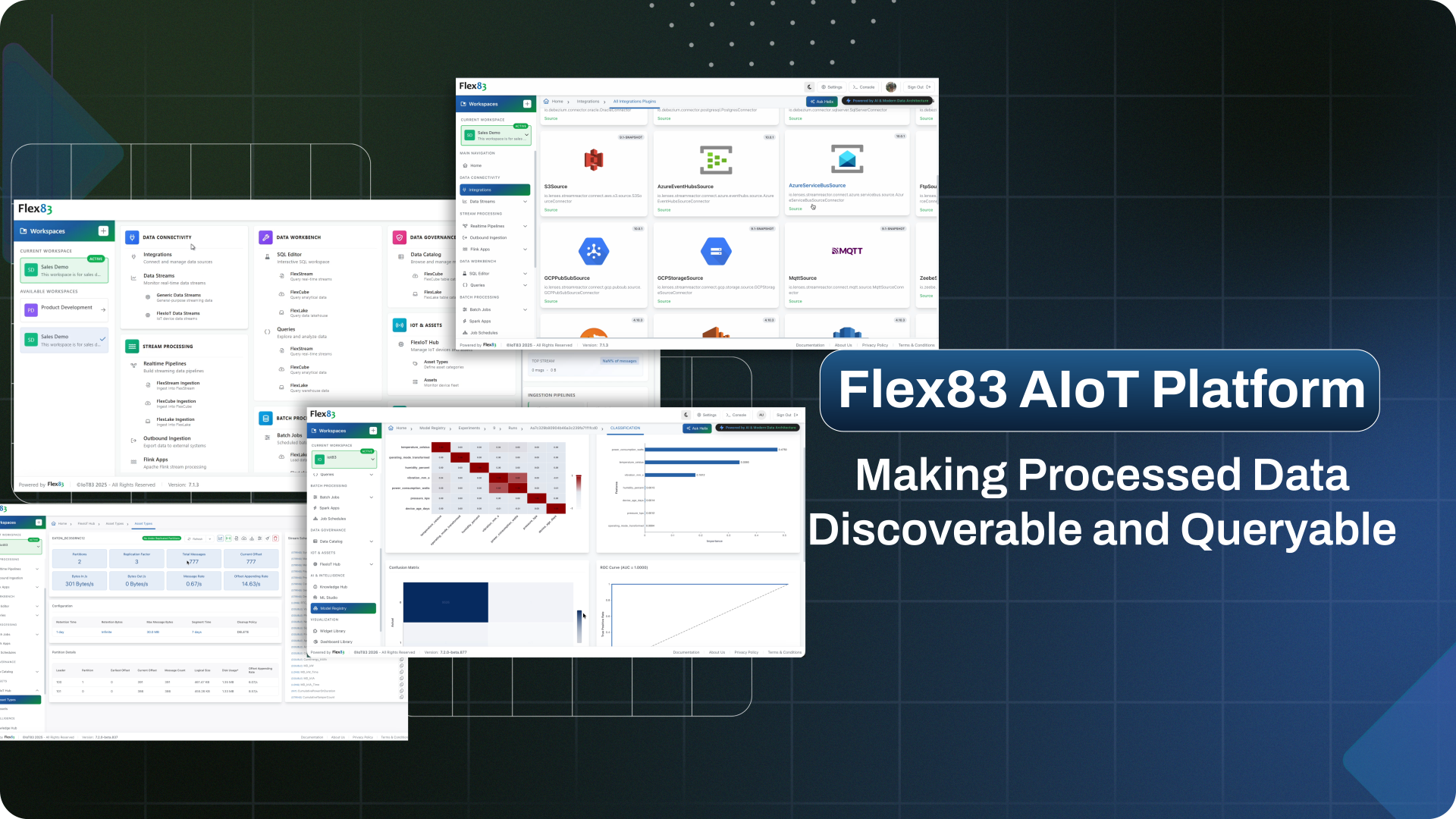
















Data work breaks down across the workflow
Having access to data is only the starting point. Teams still need to locate the right data, verify that their queries produce the right results, and preserve that work for what comes next.
Finding the right data takes time
Relevant data can span streaming, analytical, and warehouse layers, each with its own schema and query context. Teams have to identify the right layer and understand its structure before they can start investigating a question.
Query results need to be verified
A query can run successfully and still return the wrong result. Teams need to work against the actual schema and live data, test their logic, and catch errors before unverified queries feed dashboards, jobs, or other downstream workflows.
Useful queries get buried and forgotten
Once a query solves a problem, that logic should remain available for the next person or use case. Without a way to save, find, and schedule validated queries, teams end up recreating work that has already been done.
Query across every data layer without changing the underlying data
Data Workbench reads the same live tables your systems already run on, giving standard SQL access to every storage engine you run, but nothing gets written, shared to a dashboard, or shipped downstream until it's validated and saved. Once it proves out here, it becomes something your team can save, schedule, and find again later.
Core capabilities
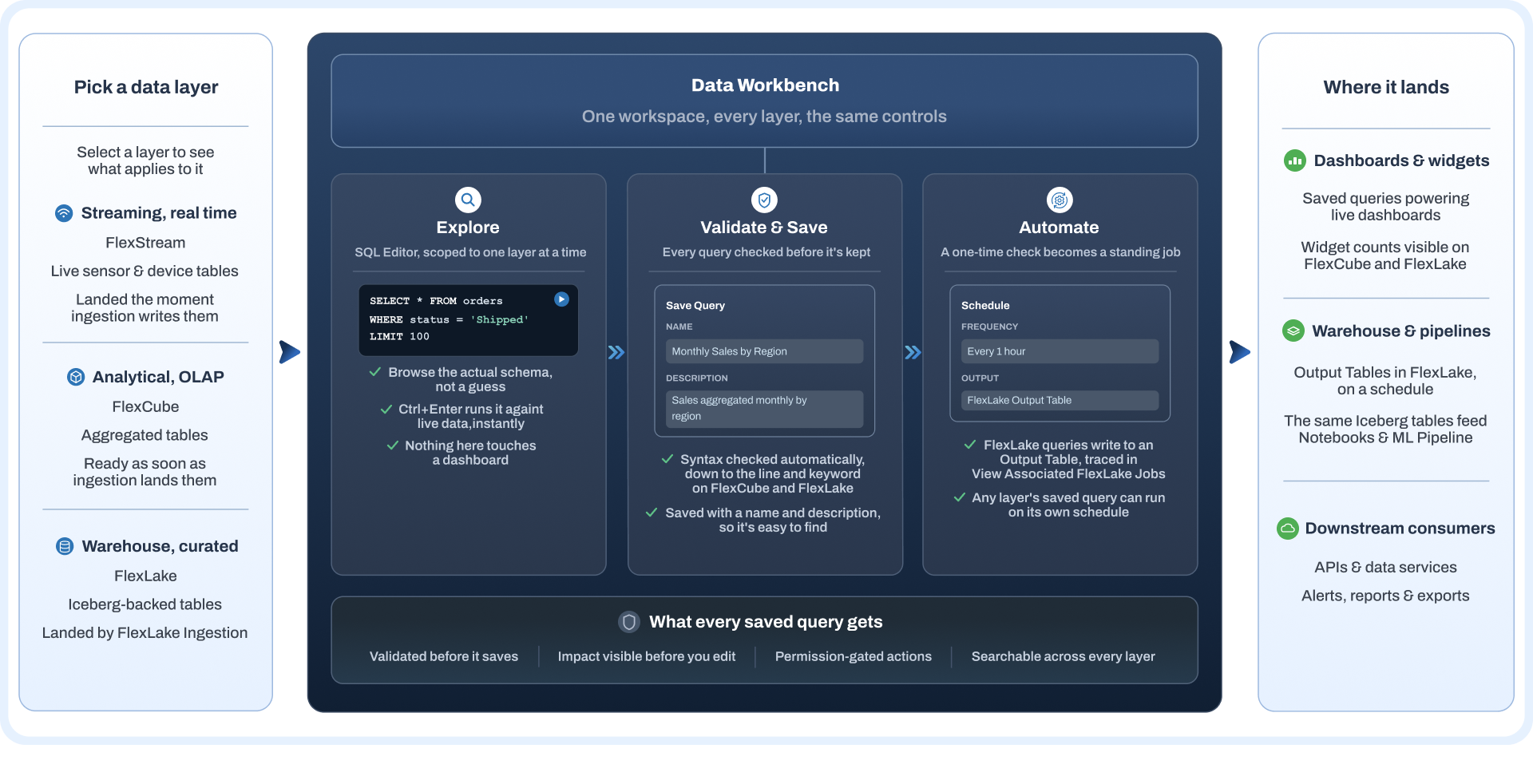
Every query moves through the same SQL workspace, from picking a data layer and browsing its schema to testing against live data, catching errors before they save, and scheduling the ones that hold up.
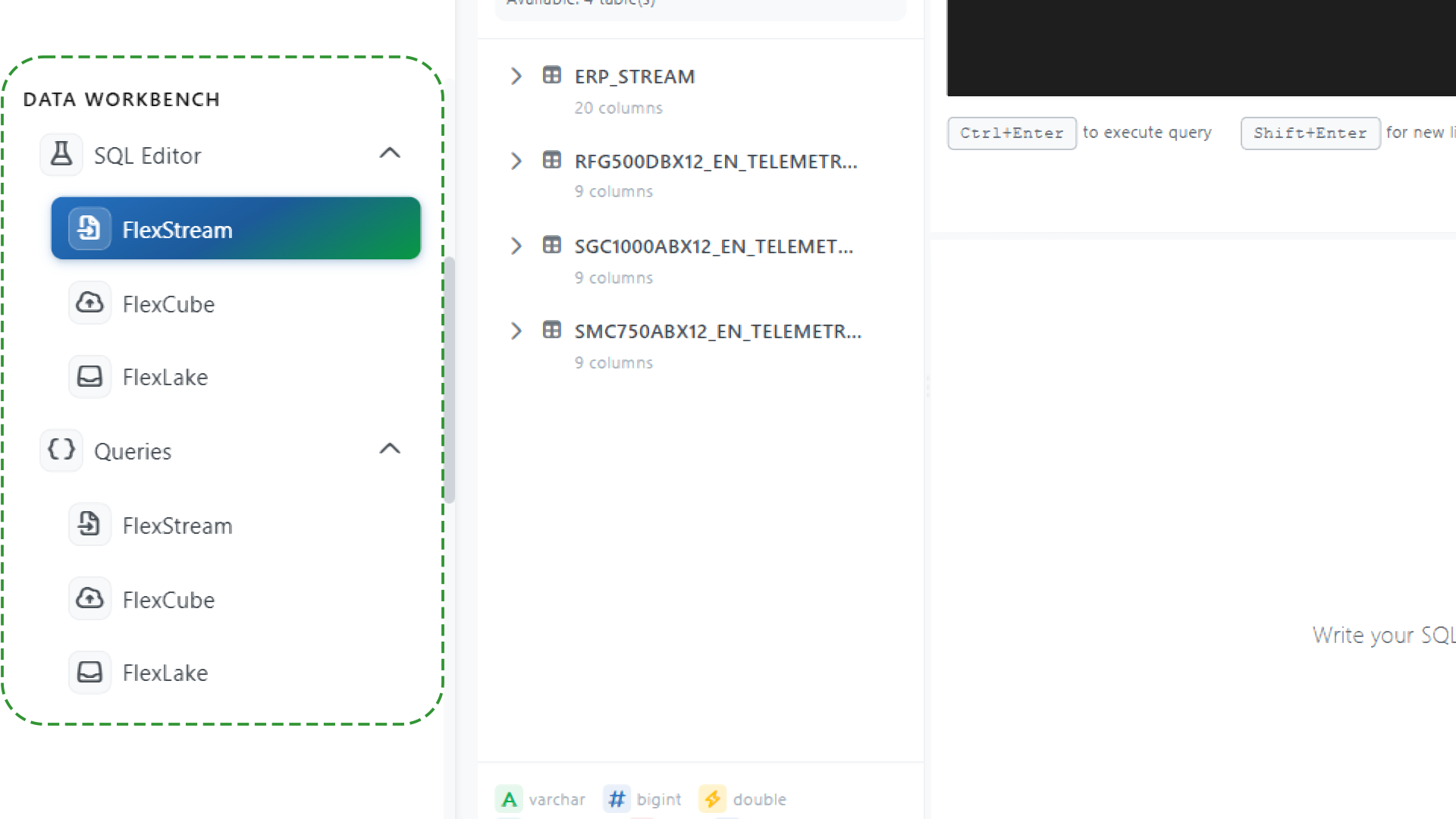
Start with the data layer you need
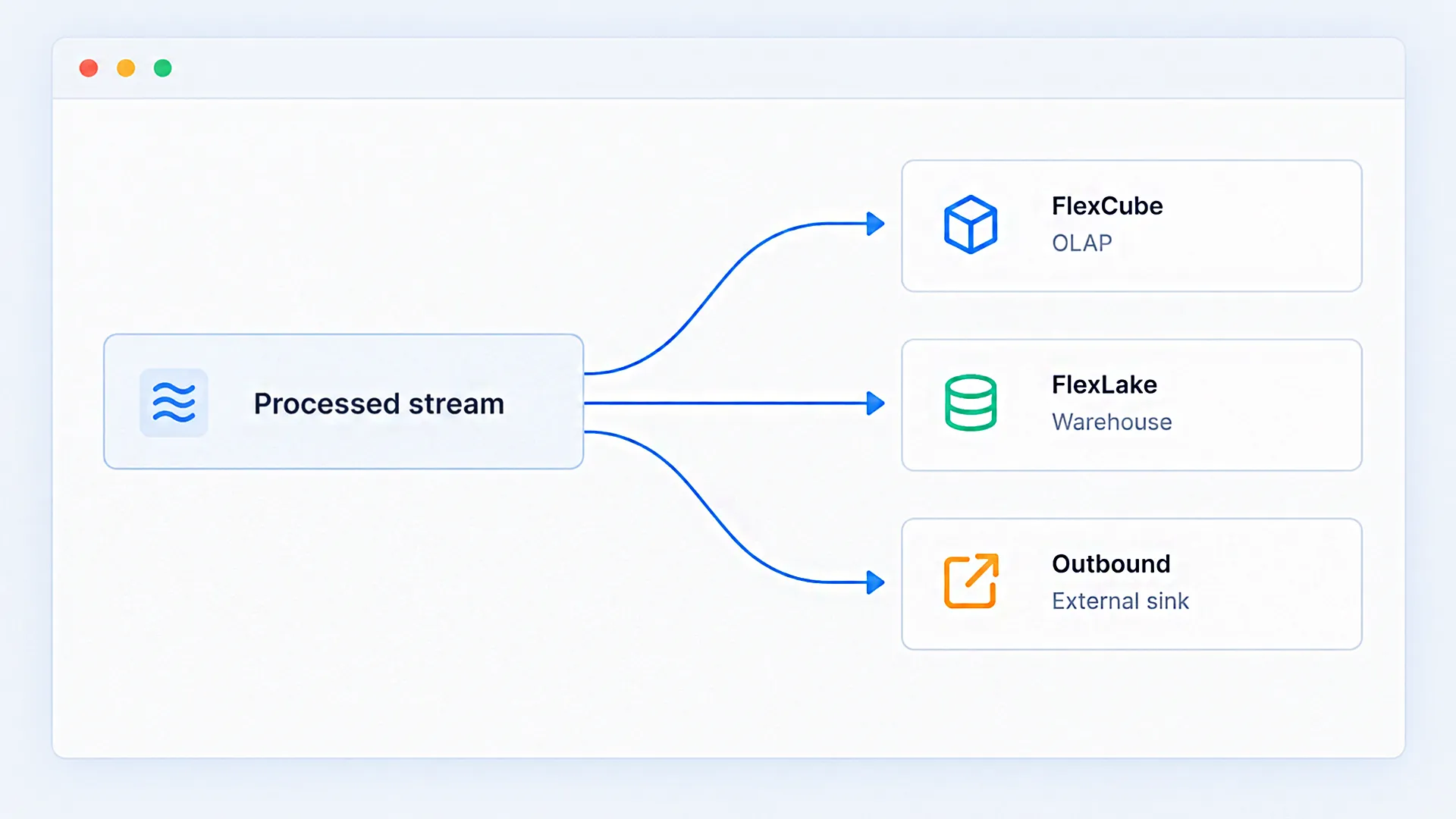
Start with the right layer so every query is grounded in what you need. Choose FlexStream, FlexCube, or FlexLake before writing, keeping the schema, tables, autocomplete, and results scoped to that layer.
Build queries without guessing at the schema
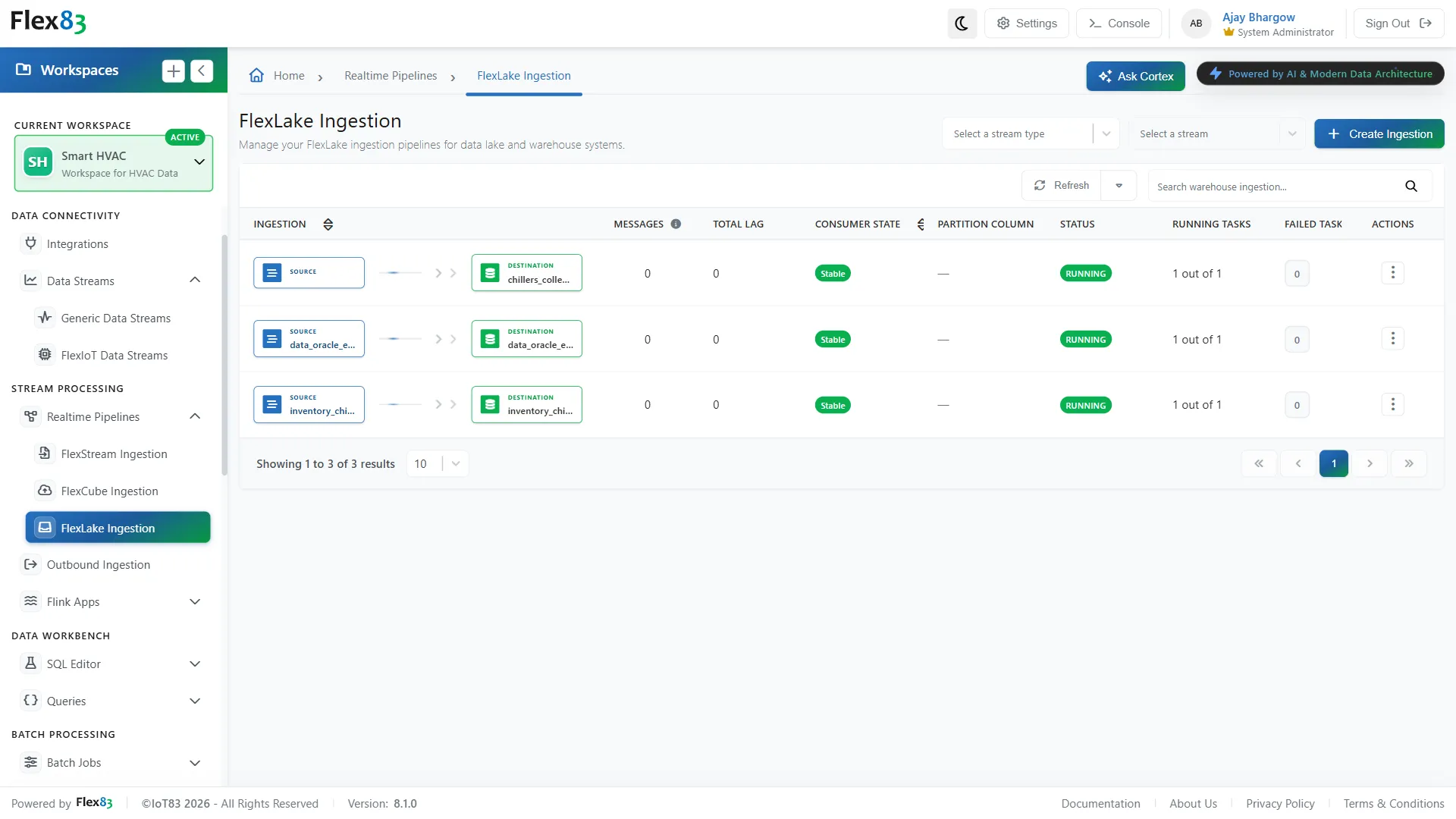
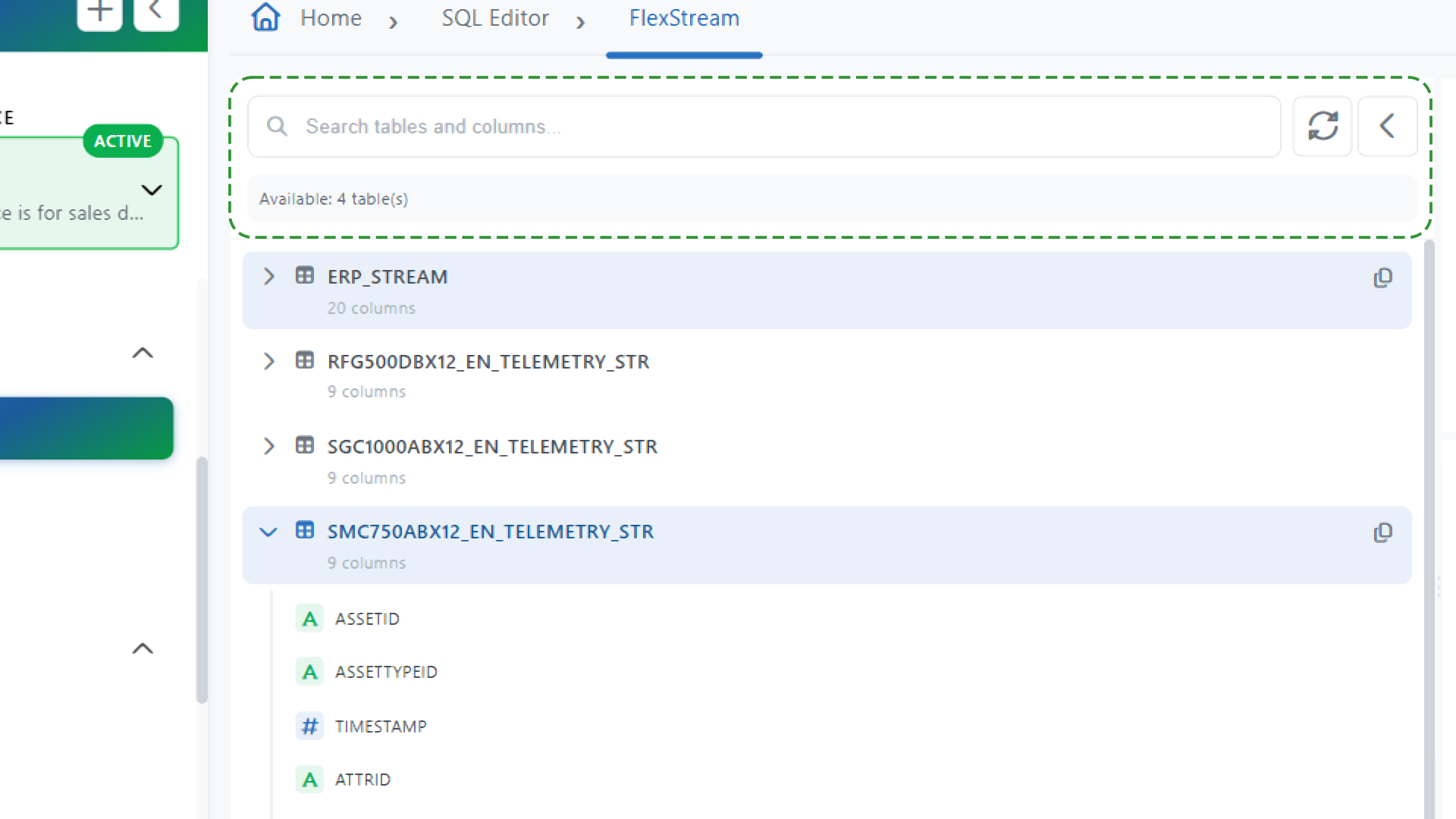
Know what you're querying before you run it. Flex83 lets you browse tables and columns directly in the editor, with search, autocomplete, and syntax highlighting built into the workflow.
Test your logic against live data
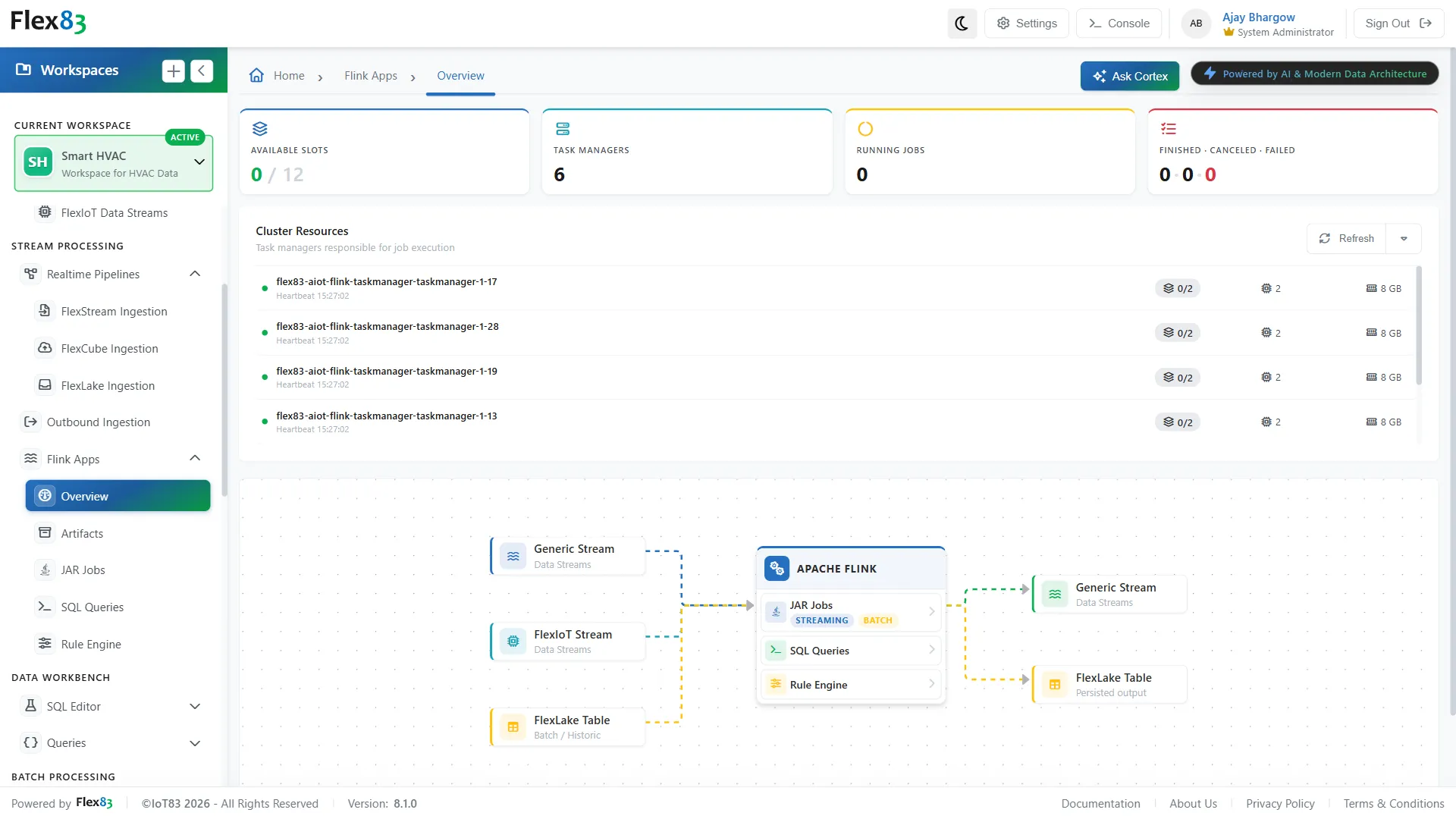
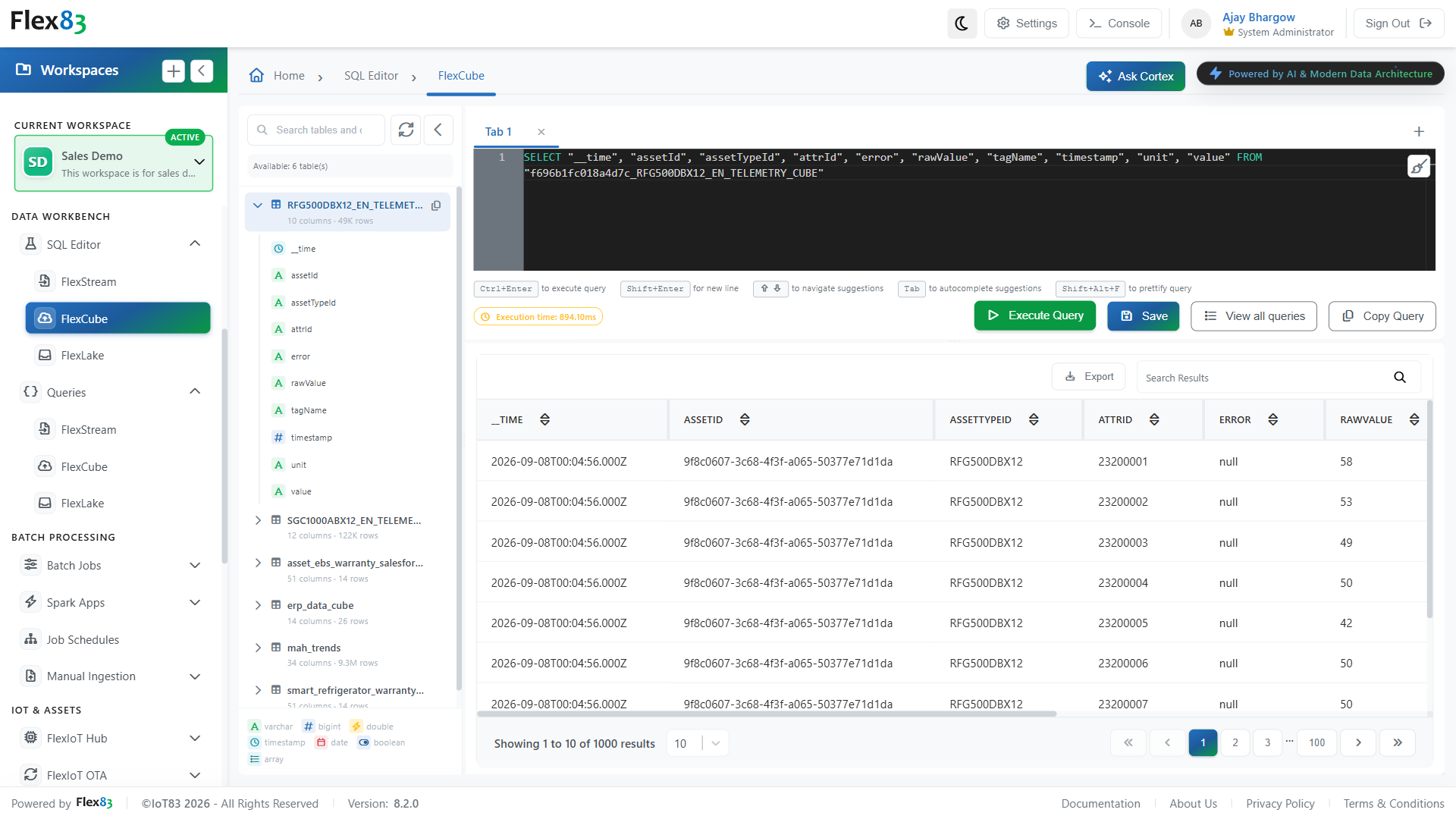
Catch problems while you're still building, not after a query reaches production. Flex83 lets you run queries against live tables and see results immediately in the same workspace.

Fix errors before they become saved queries
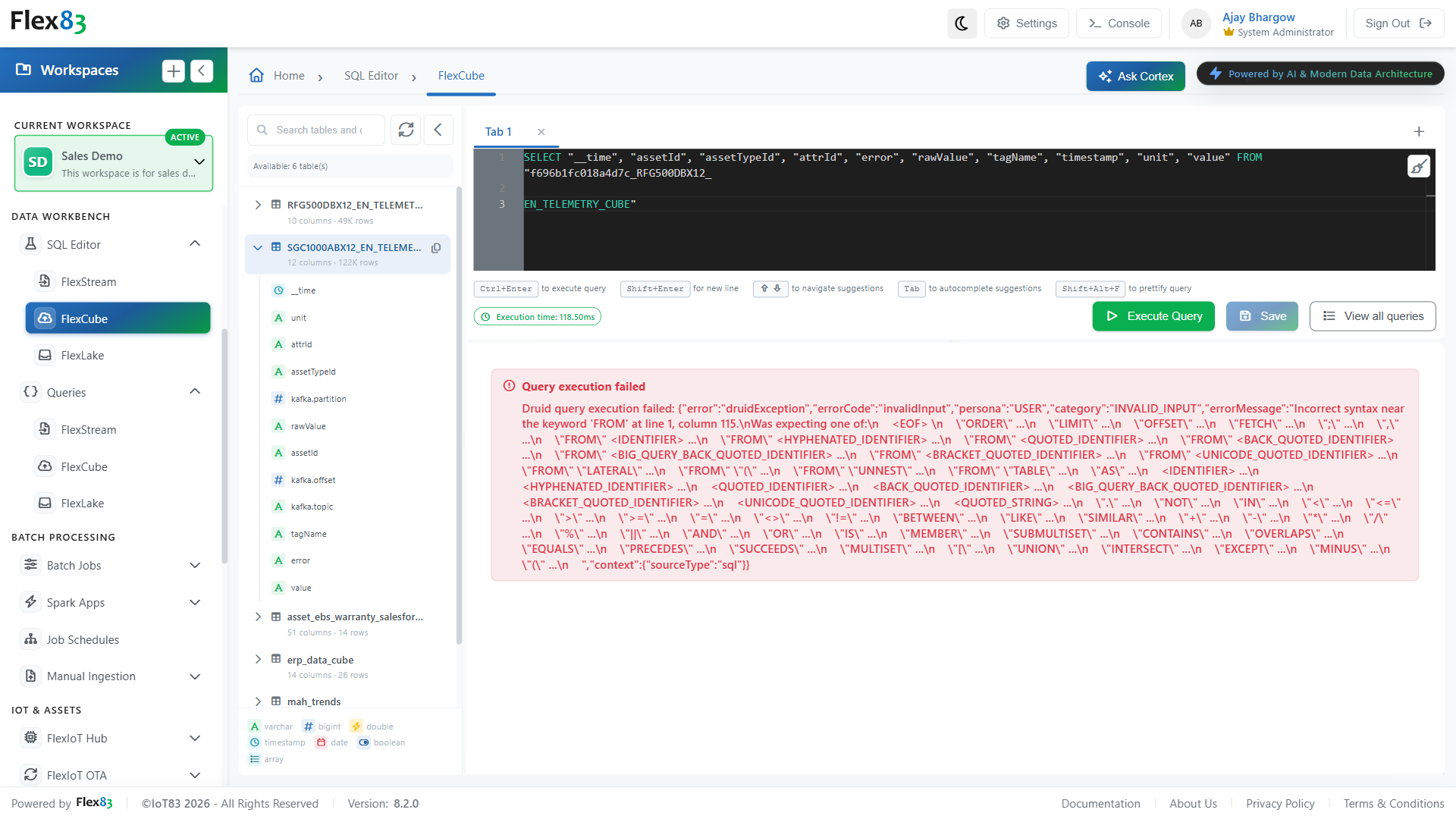
Resolve SQL issues at the source, before they become part of a downstream workflow. You can validate syntax and structure before a query can be saved, with FlexCube and FlexLake validation pointing to the specific line and expected keyword when something is wrong.
Turn validated queries into scheduled execution
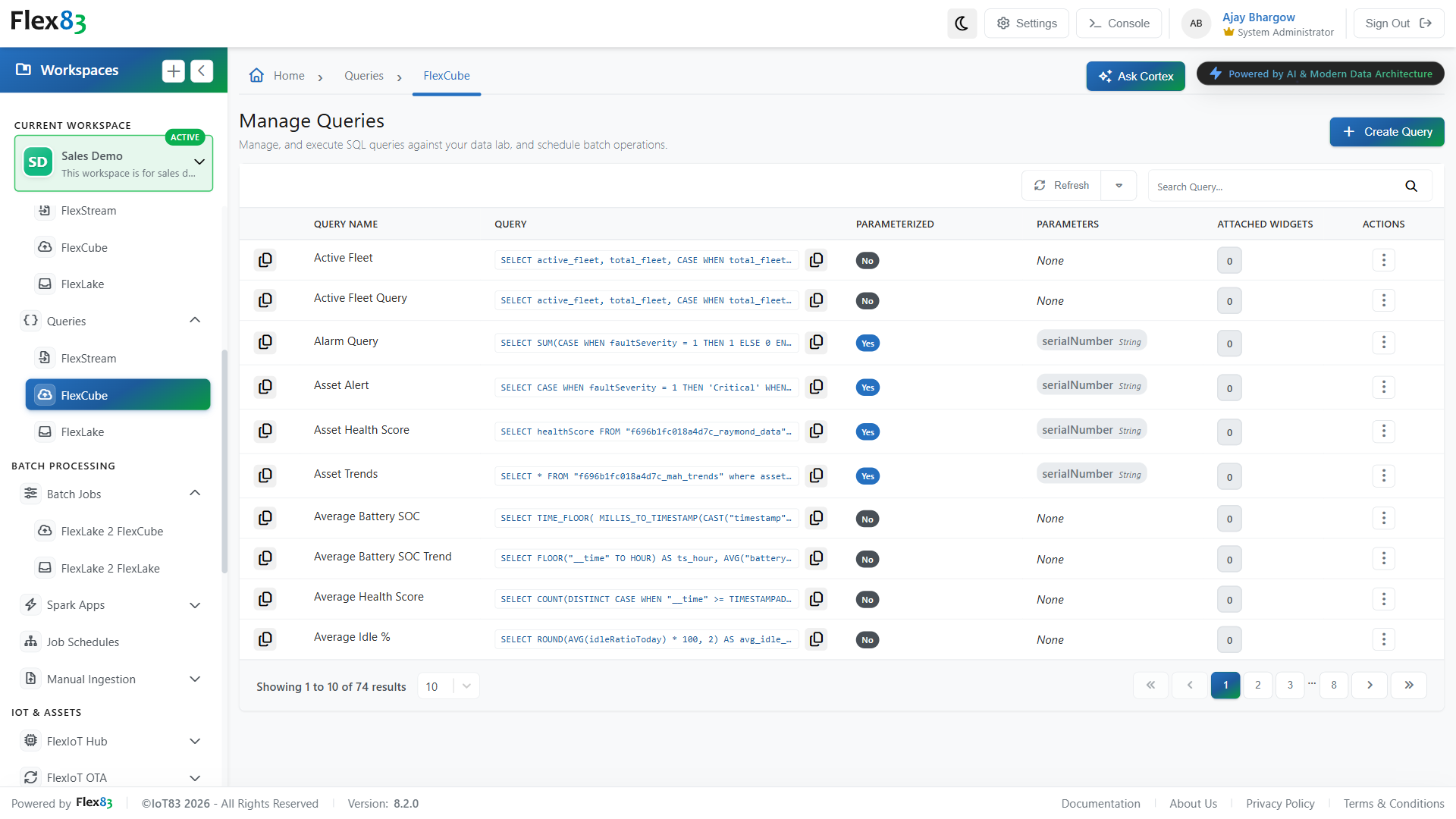
Take a query from development to recurring execution without rebuilding the workflow elsewhere. Flex83 helps you manage saved queries across FlexStream, FlexCube, and FlexLake, then convert validated queries into scheduled batch jobs.
Move from exploration to production without switching tools
Flex83 keeps every data layer inside one workspace, so a query that starts as an exploration can end up validated, saved, and scheduled without anyone touching a different tool. Here's what that means for your team.
Faster time to answer
Every data layer Flex83 runs is already one query away in Data Workbench: one editor, one save flow, no login-hopping between FlexStream, FlexCube, and FlexLake just to get to an answer.
Lower risk to production
Flex83's live systems stay protected because Data Workbench keeps experimentation out of them. Validate Query catches a broken change before it saves, so nothing untested reaches a dashboard running on the platform.
Work that doesn't get rebuilt
Every query saved in Data Workbench becomes a searchable asset on Flex83, not a one-off. It keeps its name and description, and on FlexCube and FlexLake its parameters and widget count too, so the next person on the platform finds the answer instead of writing it again.
Every change stays accountable
Actions on a saved query are gated by your permissions, and on FlexCube and FlexLake, editing or deleting one shows how many widgets depend on it first. Nothing changes without visibility into what it affects.
One SQL workspace. Four ways to put it to work.
Every team works from the same SQL Editor, picking the data layer a question depends on, running and validating a query against it, then saving what holds up so it's ready the next time that question comes up.
Equipment monitoring
Operations teams pull device status straight from live streaming data inside SQL Editor, working against FlexStream tables the moment sensor and device readings land. A monitoring rule gets checked against what's happening on the floor, not a sample taken earlier, before it ever reaches a production pipeline. If the logic is wrong, it fails here, in a workspace that never touches what operators are already watching.
Alarm logic validation
Before a query ever feeds an alarm, it runs and gets checked inside SQL Editor against live tables, not a copy of the data pulled earlier. Once it's saved, Manage Queries shows how many widgets on a dashboard depend on it, so changing or retiring that query later is a decision made with the full picture, not a guess about what breaks downstream.
Querying pre-aggregated data
Some questions call for FlexCube's already-summarized tables instead of raw streaming data recomputed on every request. Querying that layer through the same SQL Editor keeps response times consistent as a fleet grows, ten assets or ten thousand, because the heavy aggregation happens upstream, before the query ever runs.
Recurring compliance queries
A FlexLake query gets validated once against Iceberg-backed tables, then saved with an Output Table so it writes its results to a table instead of getting rebuilt by hand for every audit cycle. From there, the same query runs on its own schedule, and a compliance team can trace what's on record back to the exact query that produced it.
Proven at scale
Data Workbench queries the same FlexStream, FlexCube, and FlexLake tables that Flex83's ingestion and processing layers keep filled. Here's what those layers have already handled in production.
60M+ events processed per second, at sub-second latency
Data moved fast across systems that didn't talk to each other, leaving the operator with limited real-time visibility. Flex83 normalized and enriched every source before an analyst saw it, holding that pace at 99.9% availability across 100s of TB a day.
40K+ files processed a day, in a third of the time
A 40,000-file-a-day requirement was stuck at a ceiling of 5,000 to 7,000 geospatial signal files. Flex83 Middleware swapped Hive-based storage for Parquet output, folded two processing stages into one, and hit the target in a third of the expected time.
Frequently Asked Questions
What is Data Workbench?
Data Workbench is the SQL workspace inside Flex83 for exploring, validating, saving, and scheduling queries across every data layer in use, so a first draft never reaches a dashboard or workflow before it's ready.
How does Data Workbench work?
Data Workbench lets teams select a data layer, explore its schema, write and run SQL queries, validate query syntax, and save queries for reuse. Saved queries can also be scheduled, with additional capabilities depending on the underlying data layer.
What data can you query with Data Workbench?
Data Workbench provides SQL access to the data layers in Flex83, including FlexStream for streaming data, FlexCube for aggregated analytical data, and FlexLake for curated, Iceberg-backed warehouse data. Teams can choose the appropriate layer based on the type of data and question they need to work with.
Can I query real-time and historical data in the same workspace?
Yes. Data Workbench provides a common SQL workspace across FlexStream, FlexCube, and FlexLake. This allows teams to work with streaming, aggregated, and curated historical data from the same SQL Editor rather than using a separate query environment for each layer.
Can I save and reuse SQL queries in Data Workbench?
Yes. Queries can be saved with a name and description so they can be found and reused later. Saved queries can also become part of recurring workflows through scheduling where supported.
Can Data Workbench schedule SQL queries?
Yes. Saved queries can be scheduled to run automatically. Scheduling capabilities depend on the underlying data layer and workflow, including FlexLake workflows that can write validated query results to an Output Table.
Can Data Workbench create output tables from SQL queries?
Yes. For FlexLake workflows, a validated query can be saved with an Output Table so its results are written to a destination table. This allows recurring query results to be persisted for downstream use.
Does Data Workbench affect production data while I am developing a query?
Data Workbench provides a workspace for developing and validating queries separately from production dashboards and workflows. Your team can explore data and test query results before saving a proven query for downstream use.
Extract full value from every layer of your data
Start with one query against your own data, validate it, and see how fast it becomes something your whole team can reuse.