MULTI-TENANT PLATFORM & WHITE-LABELING
Manage every tenant on a branded platform
Keep every tenant's workspace separate while controlling the platform experience across branding, authentication, localization, identity providers, and extensions.















Centralized platform control across tenant workspaces
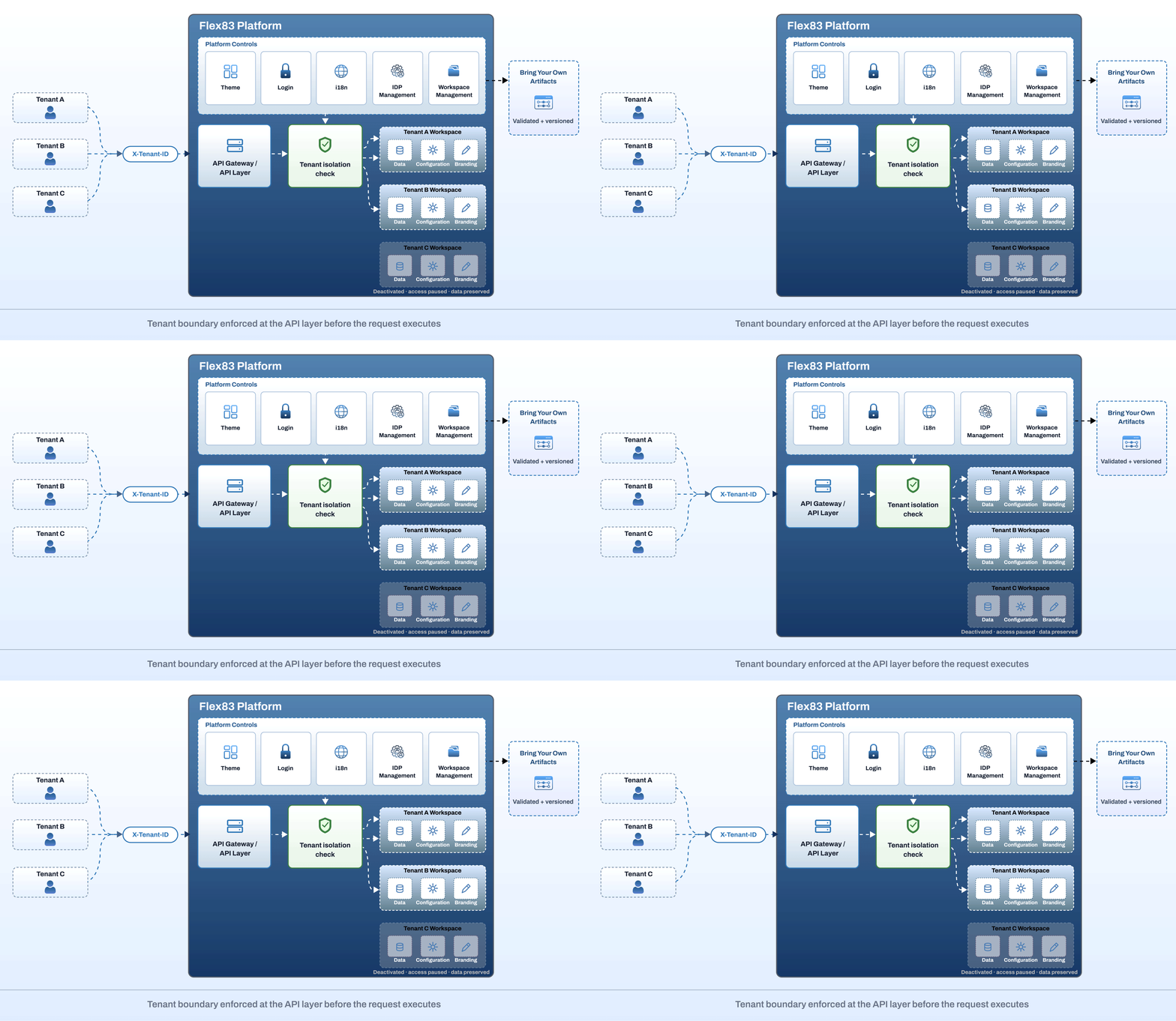
Flex83 gives each tenant an isolated workspace for its data, configuration, and branding, while identity, localization, and extensions are managed centrally across the platform.
Branding, identity, and workspace control built-in
Everything needed to run a multi-tenant, branded platform from one place. Configure how tenants access the platform, how their experience looks, how workspaces stay separate, and how your team extends the platform over time
Apply your brand across the platform
Bring your organization's visual identity into the platform with your logo, color palettes, font family, and icon style, then preview changes before they go live
.png)
Give every tenant a trusted way to sign in
Configure the login experience to match your organization's security and brand standards. Set the background, form position, trust indicators, secure-login messaging, and support or policy links.
.png)
Manage languages with visibility into rollout
Add and activate languages from one place and track translation completion by language and key. Know exactly what is ready before expanding the experience to another region.
.png)
Connect to your existing identity provider
Integrate the platform with your existing identity infrastructure through supported providers including Keycloak, Auth0, Okta, Ping Identity, and Microsoft Azure AD. Configure, activate, and test the connection from the platform.
.png)
Keep every workspace independently managed
Create and manage workspaces with their own names, status, and system-generated identifiers. Deactivate a workspace when access needs to stop without removing its data or configuration.
.png)
Extend the multi-tenant platform without waiting for a release
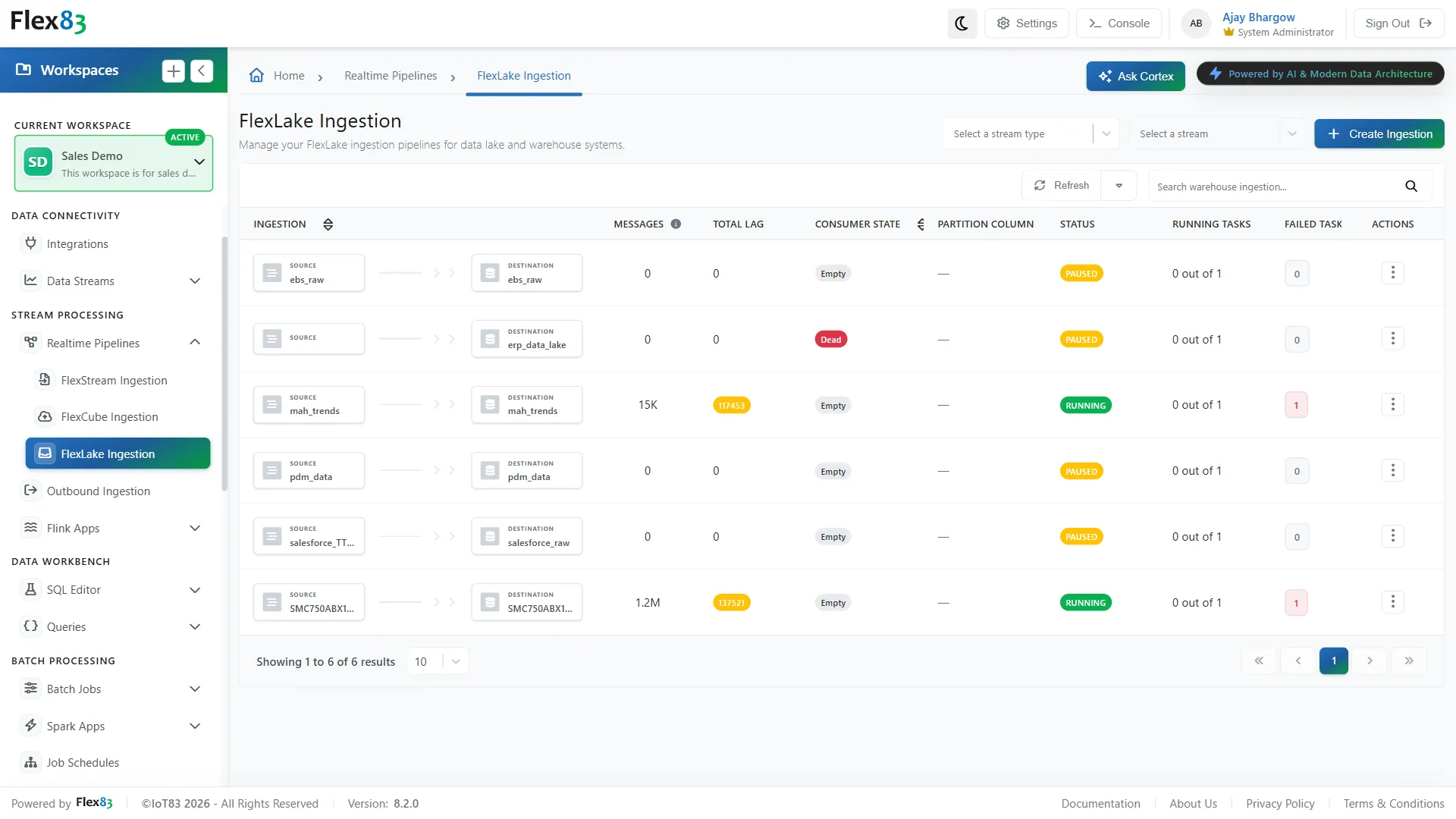
Add custom connectors, transformations, predicates, and widget types as versioned artifacts. Flex83 validates the package structure, manifest, and JAR files before an extension becomes available.
.png)
Scale across tenants without adding infrastructure
Create isolated workspaces for every customer, team, or market while keeping them on the same Flex83 platform.
Per-client deployments
Give each customer a workspace with its own login screen and branding, run from the same Flex83 instance you already operate
Parallel internal environments
Keep sales analytics, product development, and testing running side by side, each with its own data and configuration
Fast customer onboarding
Land a new manufacturing or energy account and stand up its workspace with no new infrastructure to provision.
Multi-region rollouts
Run the same platform across markets, with the identity provider and languages each rollout needs already configured.
%20(2).gif)
Multi-tenant platform control on Flex83
Every tenant's data, access, and workspace lifecycle stay governed and scoped, enforced from the API layer down to individual workspace settings
Isolation by default
Every workspace's data, configuration, and branding stay separate, checked by a tenant isolation check at the API layer before any request reaches it, so adding a customer or business unit never touches another tenant's data.
Governed, versioned extensions
Every custom connector, transform, predicate, and widget type is validated for package structure and required files before it goes live, with full version history retained so nothing ships untracked.
Tenant-scoped API access
Every Flex83 API call requires a tenant identifier, with a live testing panel on each endpoint to validate requests and responses before they ship, so integrations stay scoped to the right workspace from day one.
Workspace lifecycle control
Deactivate a workspace through Workspace Management without deleting it, so its data and configuration stay intact until it's reactivated.
Frequently Asked Questions
How does Flex83 support multi-tenant applications?
Flex83 provides tenant-level isolation for data, configuration, access, branding, and platform extensions, allowing multiple environments to operate independently within a shared platform foundation.
Can I create branded customer portals with Flex83?
Yes. Flex83 supports branded workspaces with configurable logos, colors, login experiences, languages, and authentication, allowing organizations to deliver customer-specific experiences.
Does Flex83 support white-label IoT applications?
Yes. Organizations can apply their own branding and identity across customer-facing workspaces, enabling white-label IoT experiences without maintaining separate platform instances.
Can Flex83 integrate with enterprise identity providers?
Yes. Flex83 can connect with enterprise identity providers and centrally manage authentication across tenant environments.
Can I add custom functionality to Flex83 without changing the core platform?
Yes. Teams can extend Flex83 with custom connectors, transformations, predicates, widgets, and other versioned artifacts without waiting for a new platform release.
What happens when I deactivate a workspace instead of deleting it?
Deactivating sets the workspace status to INACTIVE, which blocks it from further use across Flex83 modules while its data, configuration, and identifiers stay exactly as they were. Reactivating it from Workspace Management restores full access right away. This is different from permanently deleting a workspace, which removes it for good and can't be undone.
Launch your branded workspaces without platform complexity
Keep branding, identity, configuration, and extensions flexible across customer environments while maintaining centralized control.